Video Studio
Your creative workspace for clip creation. Edit transcripts, preview captions in real-time, and generate platform-ready videos.
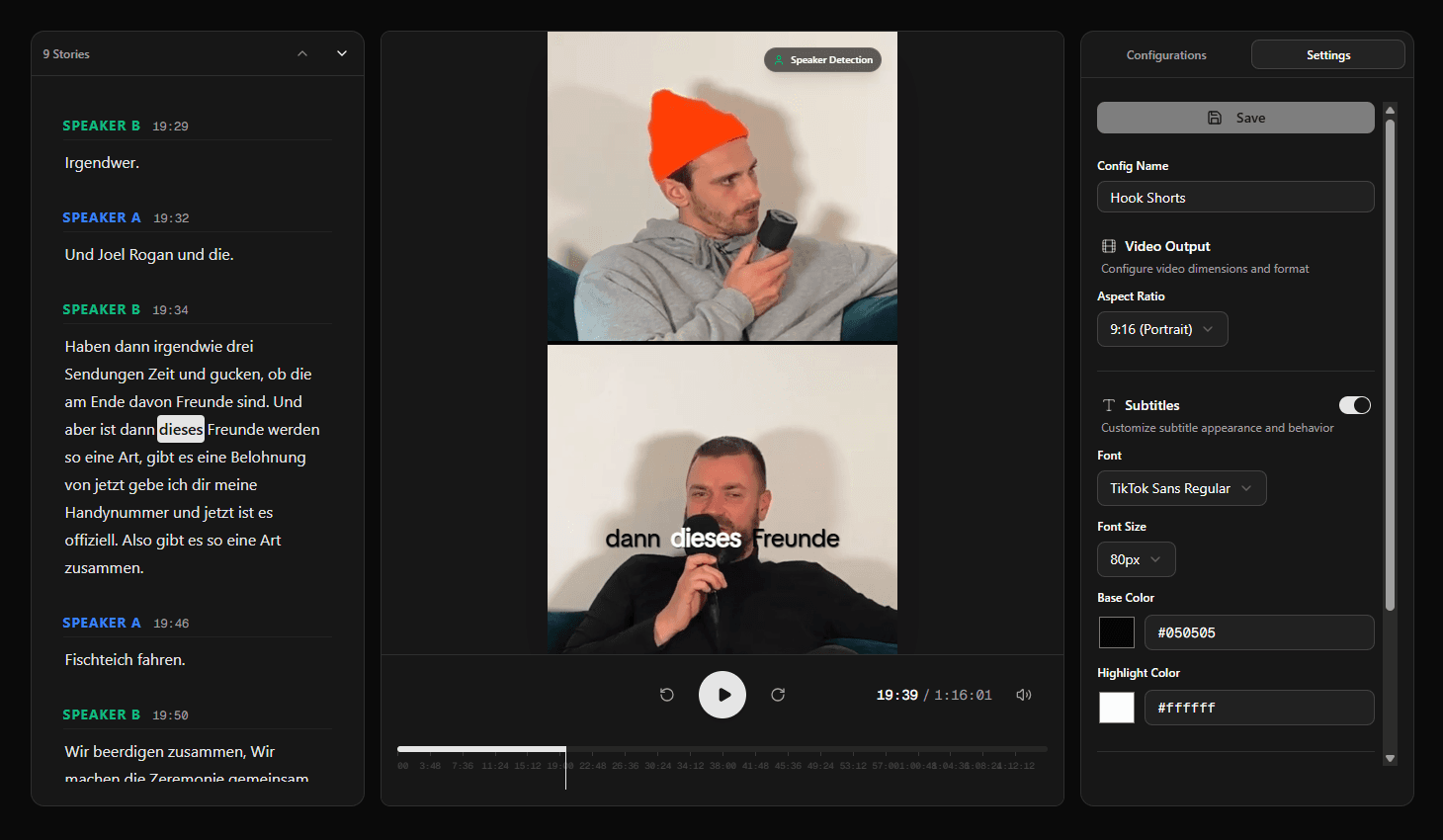
Three-Column Layout
Studio Features
Interactive Transcript
Click any word to jump to that moment. Current position auto-highlights during playback.
Live Preview
See your caption settings applied in real-time as you configure them.
Custom Captions
Karaoke-style word-by-word highlighting with customizable fonts and colors.
Speaker Tracking
Auto-detect faces and crop dynamically to follow the active speaker.
Video Configurations
Save multiple configs for different platforms like TikTok, Reels, and Shorts.
Auto-Save
Changes save automatically when generating videos. Never lose your work.
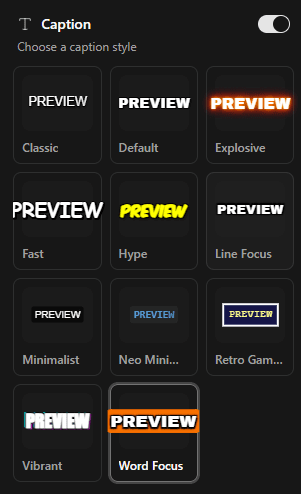
Caption Styles
Choose a caption style and keep word-by-word highlighting perfectly synced to the audio. Customize colors, fonts, and positioning to match your brand or platform requirements.
- Primary color highlights current word
- Secondary color for other words
- Multiple caption style presets
- Adjustable font size
Story Management
AI automatically identifies the best moments in your episode. Select a story segment, adjust the boundaries if needed, and generate a clip with one click.
Generate Clip
One click to render
Automatic Speaker Detection
Face Detection
Runs automatically for video sources
Dynamic Cropping
Video follows the active speaker
Studio Workflow
Select Episode
Choose from sidebar
Pick Story
AI-detected highlights
Configure
Set format & captions
Generate
One-click render
Ready to create stunning clips?
Turn your best podcast moments into scroll-stopping videos with custom captions and automatic speaker tracking.
Supports YouTube, Riverside, or RSS links.